






.png)
Steps
Confirm the migration type
If not already specified in the ticket, ask the customer whether this is a Private Cloud or Gateway migration.
Gather the required details
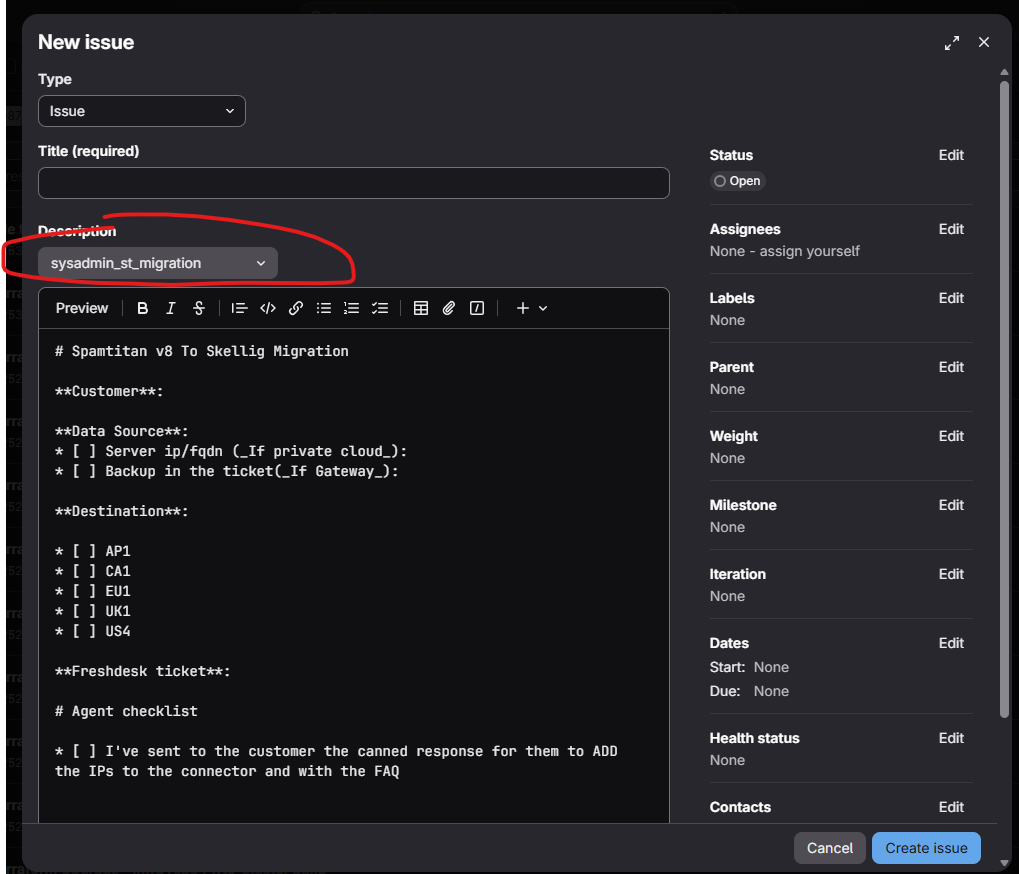
Private Cloud: Request the customer's server details - hostname and IP address.
Gateway: Ask the customer to provide a backup of their instance. This will be passed to the Sys Admins team to proceed. The backup need to be on ST version 8+
Log a ticket with SysAdmin (Issues · Team SRE · GitLab )
3Send new account details to the customer
Once the account has been migrated, share all of the following with the customer:
- Login URL
- Admin accounts
- MX records and IPs link the customer to the MX records guide (Step 6)
Let the customer know they can manage the mailflow cutover themselves using the MX documentation, or arrange this with their Account Manager / Customer Success Manager.
Share onboarding materials
Send the customer the Welcome to SpamTitan guide, which covers the new access layers available to them.
Private Cloud: notify about account expiry
For Private Cloud customers, advise them that their previous account will become inaccessible after 60 days.
 1.png)