






.png)
As a user in a domain, you can go to Settings > Policy Settings to classify marketing emails as spam and to manage your quarantine reports.
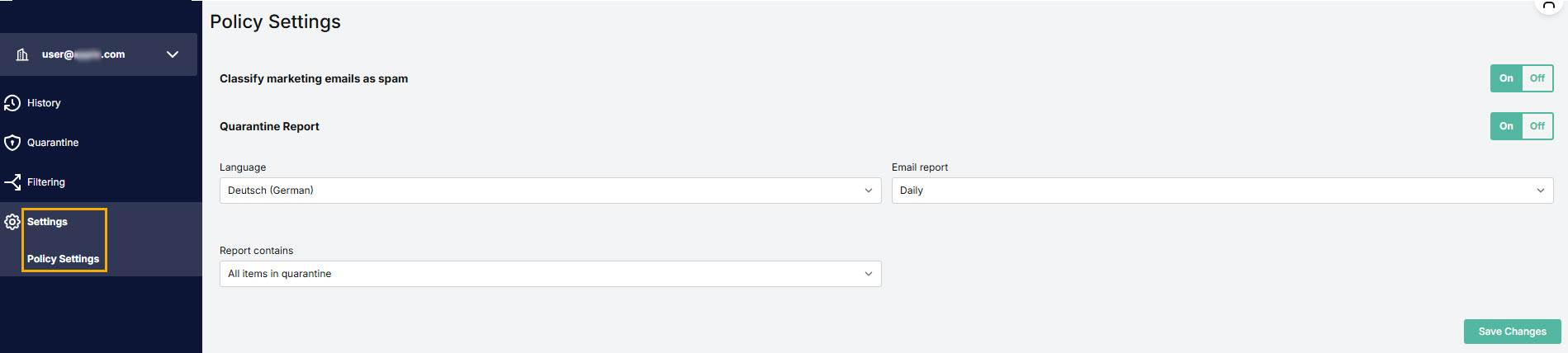
To classify marketing emails as spam, move the slider to ON.
To enable quarantine reports, move the slider to ON.
- Language: Select the language to be used in reports.
- Email report: Select how often reports are sent.
- Report contains: Select the contents of the reports.
When you're ready, click Save Changes.
 1.png)