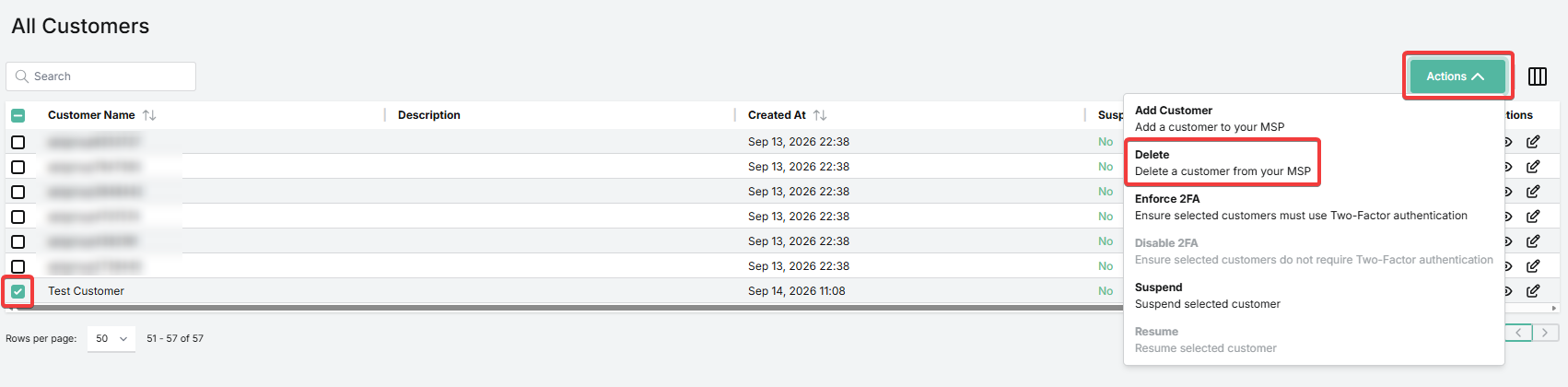
1. On the Overview page, locate the customer in the All Customers table. You can also use the search field.
2. Check the box to the left of the entry for this customer.
3. Go to Actions > Delete.
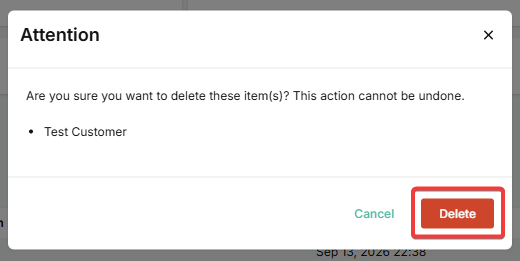
4. Click Delete to confirm.

☰






SpamTitan(Skellig 9.00+
SpamTitan(8.00 or Earlier)
.png)
Modified on: Mon, 14 Sep, 2026 at 2:11 PM
1. On the Overview page, locate the customer in the All Customers table. You can also use the search field.
2. Check the box to the left of the entry for this customer.
3. Go to Actions > Delete.
4. Click Delete to confirm.
Did you find it helpful? Yes No
Send feedback 1.png)